"Check for Updates" Window
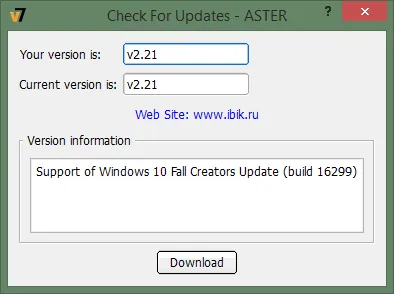
The link to check for updates becomes available on the About tab, after running ASTER (mutectl.exe) as an administrator.
The “Your version” field - contains the version number of ASTER that is currently installed.
The “Current version” field - contains the version number of ASTER that us currently available
Link to ASTER Website
The “Version information” field - contains the information about the changes added to the current version.
The “Download” button - when clicked will start the download of the setup package of the current version. of ASTER